

 Bot forLeague of Angels IIGet to what matters faster
League of Angels 2 bot
PlayBots bot for League of Angels 2 (LOA II): daily collection, guild and legion settings. View client screenshots, access options and installation help.
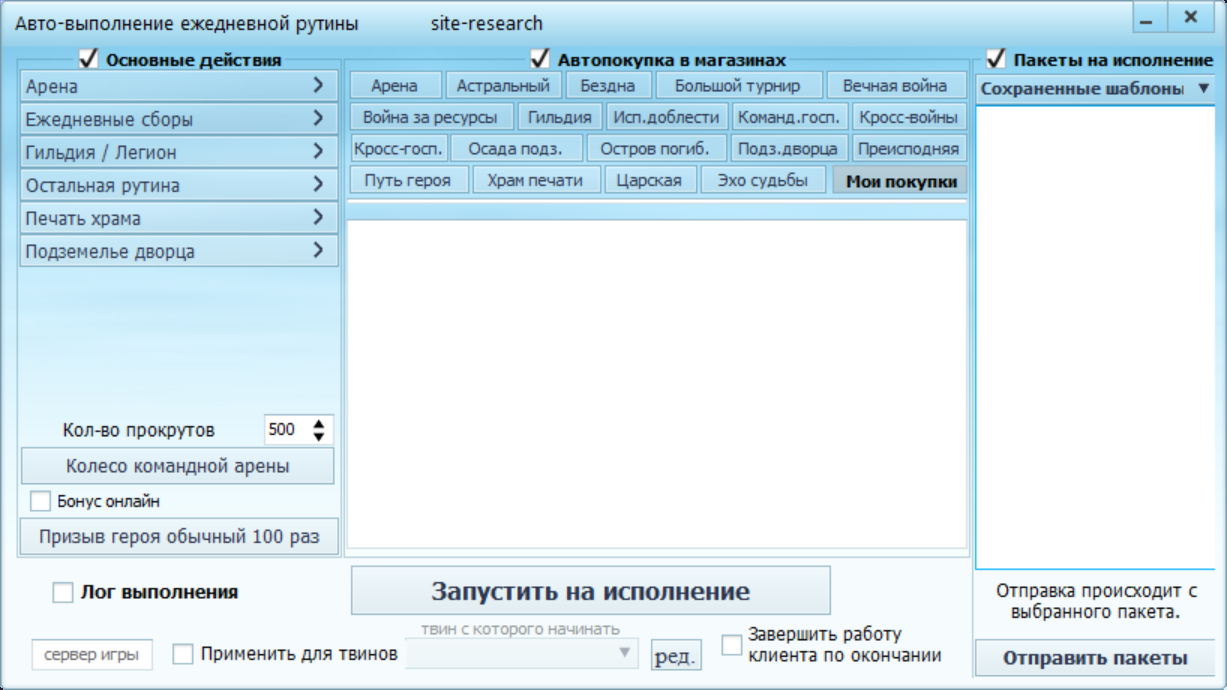
Open all screenshots (22)
- Daily routine
- Automation menu
- Daily collection
- Guild and legion
- Additional tools
- Client options
- Automation menu
- Рутина: арена
- Рутина: сборы
- Рутина: гильдия и легион
- Рутина: печать храма
- Рутина: подземелье дворца
- Остальная рутина
- Автопокупки: арена
- Автопокупки: Вечная война
- Автопокупки: Царская битва
- Дом ангела
- Диспетчер гильдии
- Копатель
- Tetromino Magic
- Royal battle
- Elite Stages
About the bot
LOA II Bot is a client for League of Angels II, also searched as League of Angels 2. This page shows routine, daily collection, guild and legion settings. Angel Home, Treasure Hunt and Elite Stages appear in the scenario menus. This is the second game in the series; confirm client and platform compatibility before activation.
- Daily routine
- Automatic stamina collection
- Angel Home: gathering and guests
- Guild quest manager
- Digger: treasure hunting
- Elite Stages: automatic blitz
Show all — 13
Daily actions
- Daily routine
Арена, ежедневные сборы, гильдия/легион, печать храма, подземелье дворца и другие ежедневные действия; списки автопокупок 19 магазинов.
- Automatic stamina collection
- Angel Home: gathering and guests
Сбор добычи и радужных кристаллов, список гостей и шесть настроек визита с длительностью.
Guild and battles
- Guild quest manager
Списки удаляемых и оставляемых заданий, задержка удаления, уведомления и автовзятие.
- Guild boss attacks
- Royal battle
Порядок игроков, выбор ряда, режим сундуков и ускоренный режим.
- Elite Stages: automatic blitz
Выбор наград для блица соответствующих этапов.
Mini-games
- Digger: treasure hunting
Число открытий, ускорение и быстрая раскопка. Требуется открытое игровое окно копателя.
- Tetromino Magic
Целевые очки, очки за попытку, ускорение движения и учёт следующей фигуры.
Controls and scheduling
- Batch interactions
- Custom macros
- Action scheduler
- Log in with all alternate accounts
System requirements
- Installation
- Get the client using the link on this page or request it from the author. Install it and select your game in the startup settings; confirm the appropriate version and engine before installation.
- Runtime requirement
- Game actions require a running client and a signed-in game account. This description is based on an interface inspection on 12 October 2026; in-game scenario execution was not tested. Confirm compatibility and the functions you need before payment.
How to get started
- 1
Ask how to get the client
Install and open the app.
- 2
Copy your ID
In the client’s About menu.
- 3
Activate or renew
All features included. Choose your access period.
Frequently asked questions
Need help?How do I activate access?
Open the About menu in the installed client and choose activation payment. Website payments require the 32-character client ID from this menu.
How do I renew access?
Use the payment option in your client’s About menu. For website payments, enter the same client ID.
What should I check before paying?
Make sure the features you need work in your game. Ask support about compatibility and refund terms before paying.